
Binance.US is the American arm of the Binance brand. It runs as its own company, has its own license setup, and follows US rules. If you live in one of the states it serves, it is one of the cheapest ways to buy Bitcoin with dollars. The platform has changed a lot over the past two years, though, so older reviews often get it wrong. This guide covers how buying Bitcoin works on Binance.US right now: account setup, funding, the two ways to buy, what you’ll pay, and what to check before you hold coins on the exchange.
What Binance.US Is and How It Differs From Binance.com
A lot of people assume Binance.US is just a US-facing version of Binance.com. It isn’t. Binance.com, the global exchange, doesn’t accept US customers. Binance.US is operated by BAM Trading Services and has to meet US anti-money-laundering, identity, and state money-transmission rules.
That split matters in practice. Binance.US lists fewer coins, offers no margin or futures trading, and can only operate in states where it holds the right approvals. What you get in return is a regulated route into Bitcoin with trading fees that are among the lowest in the US market.
A Quick Look at Recent Changes
Binance.US had a rough 2023 and 2024. Its banking partners pulled out, and for a long stretch customers could only trade crypto because dollar deposits were switched off. Since then:
| Period | What Changed |
|---|---|
| February 2025 | USD deposits and withdrawals came back after the long crypto-only period |
| May 2025 | The SEC dropped its civil case involving BAM Trading, with prejudice |
| January 2026 | The company says it finished a SOC 2 Type II audit of its security controls |
| June 2026 | Domestic wire transfers returned, verification error messages were rewritten, and a self-serve account reactivation tool launched |
The SEC dismissal was a policy decision. It wasn’t a finding that the platform had done nothing wrong, and it doesn’t amount to blanket regulatory approval. For an ordinary Bitcoin buyer, though, the fact that dollar rails are back is the change that matters most.
Who Can Use Binance.US
Where you live is the first thing to check. As of the platform’s June 2026 update, Binance.US doesn’t serve residents of these locations:
| Status | States and Territories |
|---|---|
| Not supported | Alaska, Connecticut, Georgia, Maine, New York, North Carolina, North Dakota, Ohio, Oregon, Texas, Vermont, Washington |
| Territories not supported | American Samoa, Guam, Northern Mariana Islands, U.S. Virgin Islands |
| Crypto-only (no USD deposits or bank linking) | Kansas, Wisconsin |
If you’re in Kansas or Wisconsin, you can still open an account and trade, but you can’t fund it with dollars from a bank. You’d have to send crypto in from another wallet and trade from there. That makes Binance.US awkward as a first place to buy Bitcoin in those two states.
State rules change, so look at the current list in the Binance.US help center before you sign up.
Setting Up Your Account
Opening an account takes a few minutes if your documents are ready. Like every regulated US exchange, Binance.US has to verify who you are before you can trade.
What Verification Asks For
You’ll usually be asked for:
- Your full legal name and date of birth
- Your residential address, which must be in a supported state
- Your Social Security number
- A government photo ID, such as a driver’s license or passport
- A selfie or face scan to match you to the ID
Once basic verification is done, you get the standard trading screens, including Advanced Trading. In the past, people often complained that onboarding stalled on vague error messages. The company says its 2026 rewrite of those messages cut basic onboarding failures by close to 90 percent.
Securing the Account Before You Deposit
Turn on security features before you put any money in. Two-factor authentication is required, and an authenticator app is a better choice than text messages. You should also set up a withdrawal address whitelist, which only lets funds go to wallets you’ve approved in advance. An anti-phishing code is worth adding too, so you can tell real Binance.US emails from fake ones.
Funding Your Account With Dollars
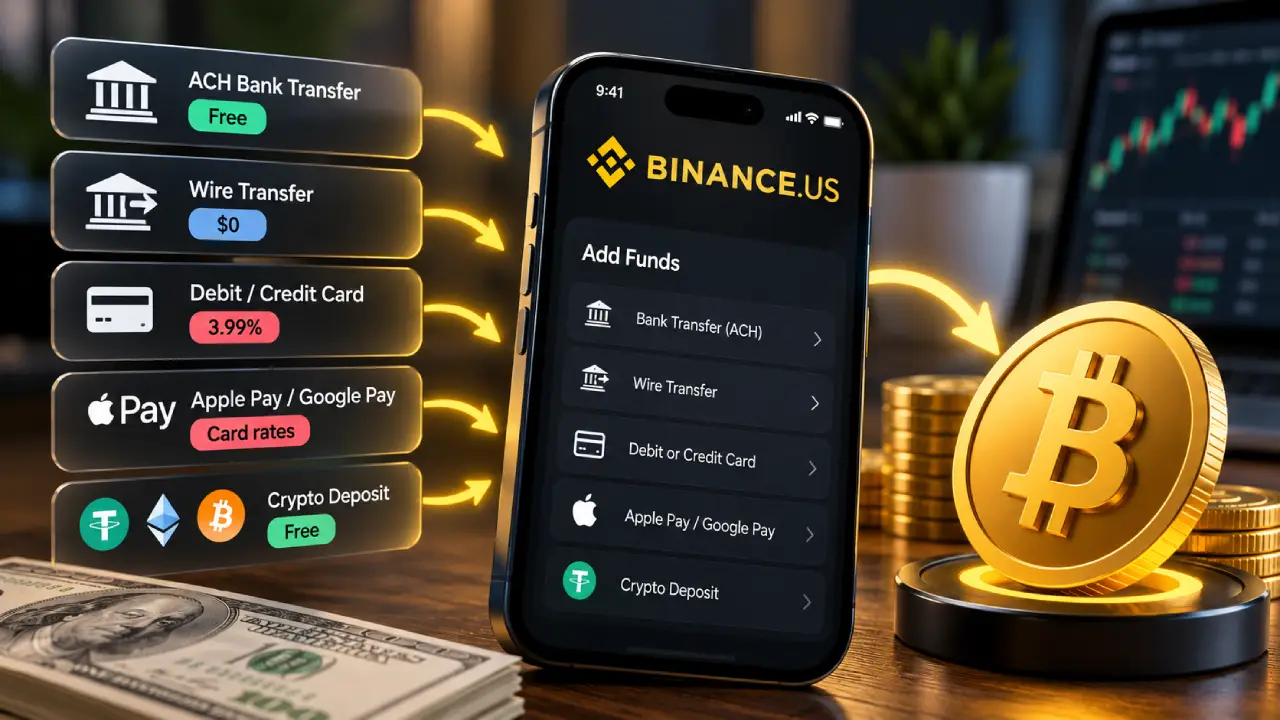
You need money in the account, or a linked payment method, before you can buy. The funding method affects both how much you pay and how soon you can move your Bitcoin.
| Funding Method | Deposit Fee | Speed | Things to Know |
|---|---|---|---|
| ACH bank transfer | Free | A few business days to settle | Funds can often be used for trades right away, but withdrawals are held for 7 days |
| Domestic wire | $0 from Binance.US | Usually same or next business day | Your bank may charge its own wire fee |
| Debit or credit card | 3.99% | Instant | Your card issuer may add cash-advance or foreign fees |
| Apple Pay / Google Pay | Card rates apply | Instant | Fastest option, and one of the most expensive |
| Crypto deposit | Free | Depends on the network | Useful in crypto-only states |
For most people, ACH is the sensible default. It costs nothing, and you can usually spend the deposit on Bitcoin before it has fully cleared. The catch is the 7-day hold on withdrawals. If you buy Bitcoin with a new ACH deposit, you’ll generally have to wait about a week before you can send it to a private wallet.
Cards are convenient, but 3.99% adds up. A $1,000 purchase costs about $40 before any trading fee or spread. That’s a lot to pay for speed.
Two Ways to Buy Bitcoin on Binance.US
The platform has two different buying routes. Picking the right one probably makes more difference to your total cost than anything else.
The Buy Crypto Screen
This is the simple option, built for beginners. In the mobile app, you tap Buy, pick Bitcoin, type a dollar amount, preview the order, and confirm. On the web, the Buy Crypto button sits in the top-right corner and works the same way.
You can pay from your USD balance, or with One-Click Buy, which charges your linked payment method directly so you don’t have to fund the account first. It’s fast and easy to follow.
The trade-off is price. Buy Crypto doesn’t charge a separate trading fee. Instead, the platform builds a spread into the price you’re quoted. You pay a bit more than the live market price, and the gap can change with market conditions. For small or one-off purchases that may not matter much. For regular buying, it adds up.
The Advanced Trading Screen
Advanced Trading is the actual order book, where buyers and sellers are matched directly. It looks busier at first, with charts, order lists, and more buttons, but it’s where the low fees are. You get there from the Markets tab in the app (choose Advanced) or from the Trade menu on the web under Spot Trading.
You can place three kinds of orders here:
| Order Type | How It Works | Best For |
|---|---|---|
| Market order | Buys right away at the best available price | Getting Bitcoin immediately |
| Limit order | Buys only at the price you set or lower | Controlling your entry price and paying the maker rate |
| Stop-limit order | Places a limit order once Bitcoin reaches a trigger price | Planned entries during breakouts or dips |
Each order must be worth at least $10. For very large purchases, Binance.US points customers to its OTC portal, which handles block trades without pushing the order book price around.
What Buying Bitcoin Actually Costs
This is where Binance.US stands out. On the current published fee schedule, Bitcoin spot trades on the Advanced screen cost:
| Fee Type | Rate |
|---|---|
| Maker fee (limit orders that add liquidity) | 0.00% |
| Taker fee (market orders that fill immediately) | 0.02% |
| Discount when paying fees in BNB | 5% off Advanced Trading fees |
| Very high-volume accounts | Taker fee drops further on VIP tiers |
Put simply, if you place a limit order that sits on the book before it fills, you pay no trading fee at all. If you use a market order, a $1,000 Bitcoin purchase costs about 20 cents in fees.
Many major US exchanges charge between 0.4% and 0.6% taker fees for regular retail customers, so the gap is large. Some older reviews still quote Binance.US at those higher rates, but those figures are out of date.
A Worked Example
Here’s roughly what a $500 Bitcoin purchase could cost depending on how you do it:
| Approach | Funding Cost | Trading Cost | Approximate Total Cost |
|---|---|---|---|
| ACH deposit + limit order on Advanced | $0 | $0 | About $0 |
| ACH deposit + market order on Advanced | $0 | About $0.10 | About $0.10 |
| ACH + Buy Crypto screen | $0 | Built-in spread | Varies, usually higher |
| Debit card + Buy Crypto screen | About $19.95 | Built-in spread | Roughly $20 or more |
These figures are estimates. Spreads change, and card issuers can add their own charges. The pattern is consistent, though: funding with ACH and buying on Advanced is the cheapest way to get Bitcoin on Binance.US.
Setting Up Recurring Bitcoin Purchases
A lot of long-term buyers like dollar-cost averaging, which means buying a fixed amount on a schedule instead of trying to time the market. Binance.US handles this with Auto-Buy.
You can schedule purchases weekly, every two weeks, monthly, or on other intervals, paid through ACH or from your USD balance. Auto-Buy works with every coin on the Buy Crypto screen, including Bitcoin.
Keep in mind that Auto-Buy runs through the simpler buying route, so the convenience spread applies. For small, steady purchases, many people think that’s worth it for the automation. Larger buyers might do better with a reminder and a manual limit order on the Advanced screen.
Moving Your Bitcoin Off the Exchange
Once your purchase fills, the Bitcoin sits in your Binance.US wallet. You can leave it there or withdraw it to a wallet you control.
Withdrawal Fees and Timing
Depositing crypto is free. Withdrawing crypto carries a fee that changes with Bitcoin network congestion and is shown on screen before you confirm. The 7-day hold on recent ACH or card deposits also applies to crypto bought with that money.
Dollar withdrawals by ACH are free and usually arrive within one to five business days after any hold ends. Wire withdrawals cost a flat $25, plus whatever your bank charges.
Should You Keep Bitcoin on Binance.US?
That depends on how much you hold and how often you trade. Binance.US says it keeps most customer assets in cold storage and has had its security controls audited. Still, any custodial exchange means trusting a third party with your coins. Independent reviewers have also pointed out that the platform hasn’t published a regular independent proof-of-reserves attestation. Don’t assume your USD balance is FDIC-insured, either; read the current account terms before you rely on that.
A common approach is to keep a small trading balance on the exchange and move long-term savings to a hardware wallet. If you do, test with a small withdrawal first and whitelist the address.
Pros and Cons at a Glance
| Strengths | Weaknesses |
|---|---|
| Some of the lowest Bitcoin trading fees in the US | Not available in 12 states plus several territories |
| Free ACH deposits and withdrawals | No USD funding in Kansas and Wisconsin |
| Zero maker fee on Bitcoin limit orders | 3.99% card fee is steep |
| Simple Buy Crypto screen for beginners | Spread on Buy Crypto and Auto-Buy isn’t fully transparent |
| Recurring Auto-Buy for dollar-cost averaging | 7-day withdrawal hold on new ACH and card deposits |
| OTC portal for large orders | Fewer coins and no derivatives compared with Binance.com |
Putting It All Together
For Bitcoin buyers in supported states, Binance.US is a strong low-cost option now that dollar funding has returned. The best approach is to verify your account, lock it down with an authenticator app and address whitelisting, fund it through ACH, and buy on the Advanced Trading screen with a limit order. Done that way, you can often pay no trading fee at all.
If you want the easiest possible experience, Buy Crypto and Auto-Buy are there, but you pay a bit more for that. Check your state’s status before you sign up, plan around the 7-day withdrawal hold, and think about where you’ll store your Bitcoin long term.
This article is for general information only and isn’t financial advice. Fees, supported states, and features can change, so confirm current details directly with Binance.US before you buy.